SignLingo Platform · Language Management
Language Management — the brain of your sign language
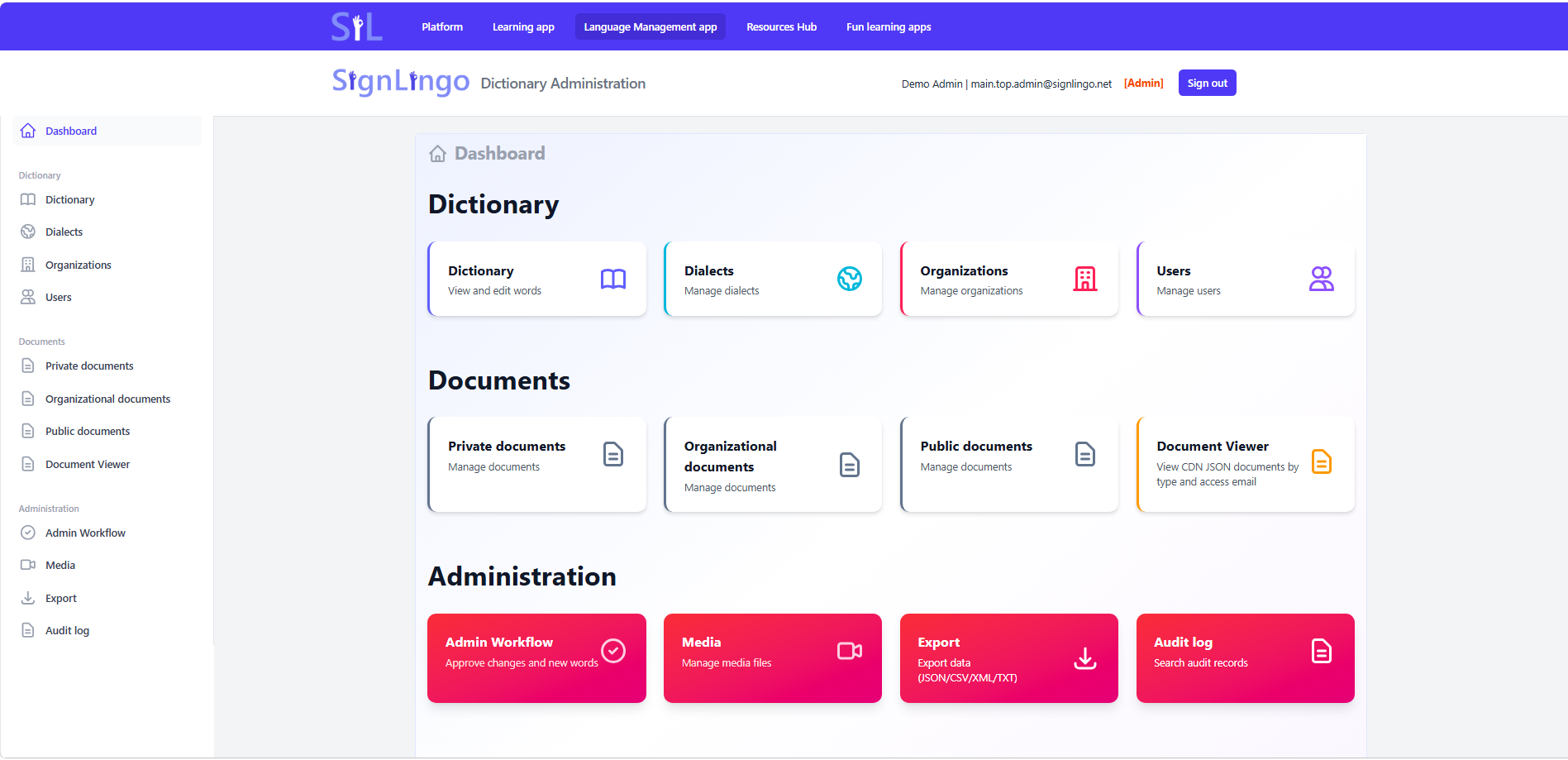
A dedicated web application for managing the sign-language dictionary, videos, dialects and analytics. Built for expert teams who care about accuracy, consistency and long-term development of the language.
- Back-office web application
- Secure, browser-based tool for experts — separate from the learner-facing apps.
- Central dictionary management
- One place to manage words, signs, CEFR levels, word types, variants and examples.
- Expert-driven workflow
- Designed for linguists, federations, associations and accredited experts.
- Transparent and measurable
- Analytics, dashboards and public access to standardized definitions where needed.
Available languages
-
ASLASL
American Sign Language
-
BRLIBRAS
Língua Brasileira de Sinais
-
BSLBSL
British Sign Language
-
DEDGS
Deutsche Gebärdensprache
-
DKDTS
Dansk tegnsprog
-
ESLSE
Lengua de signos española
-
FRLSF
Langue des signes française
-
HRHZJ
Hrvatski znakovni jezik
A professional tool for managing your sign-language dictionary
The Language Management app is where your sign language is defined, structured and maintained. It holds the central dictionary and all key attributes for each concept — from CEFR levels and word types to dialectal variants, synonyms and usage examples.
Instead of scattered spreadsheets and disconnected tools, experts work in one shared environment that feeds the entire SignLingo ecosystem: Learning App, Resources Hub and Fun Learning apps.
Who is it for?
- Linguists and experts in sign language.
- Representatives of deaf federations and associations.
- Teams from schools, universities and educational institutions.
- Other accredited experts and committees responsible for standardization.
Central dictionary with all key attributes in one place
Language Management gives you a structured way to define each entry in your sign-language dictionary. Every word or concept can be enriched with metadata, media and examples — making it usable both for expert work and for learning.
Concepts, word types and CEFR levels
Each dictionary entry is treated as a concept, with clear linguistic attributes. This structure makes it easier to design curricula, report on coverage and align with existing standards.
- Define words and concepts with clear identifiers.
- Assign word types (e.g. noun, verb, adjective).
- Attach CEFR levels to each concept for structured progression.
Videos, images and synonyms
Connect each concept with its visual representation and related meanings. All media is centrally stored and reused across the platform.
- Attach one or more video demonstrations for each sign.
- Add images and visual hints where helpful.
- Define synonyms and related concepts to build a richer network of meaning.
Dialects, regional variants and age groups
Respect the diversity of your sign language by capturing dialectal and regional variants in a structured way — without losing the clarity of a central standard.
- Define regional variants per region or dialect.
- Mark usage by age group or target population where relevant.
- Keep both standard and non-standard forms visible and traceable.
Examples, usage notes and learning integration
Store real examples and usage notes that can later be reused in lessons, stories and exercises in the Learning App.
- Add example sentences and usage notes for each concept.
- Mark which entries are used in specific lessons, stories and micro-courses.
- Ensure that teaching content and dictionary remain tightly aligned.
Expert workflows with transparent outcomes
Language Management is built around expert roles and governance. Only authorized users can create, edit or approve dictionary entries — but the results can be made visible to the wider community in a controlled and transparent way.
This allows deaf organizations, linguists and institutions to collaborate on a shared resource, while anonymous users can still look up standardized definitions and trusted references for everyday use.
Expert editing & approvals
- Role-based access for different expert groups.
- Changes tracked and attributable to specific teams.
- Support for committees and working groups.
Transparent public view
- Anonymous users can consult standardized definitions.
- Clear indication of official or recommended forms.
- Supports transparency towards communities, donors and partners.
Community feedback & surveys
Language Management can collect feedback directly from users and the wider community through surveys, questionnaires and other input forms.
- Anonymous users can participate in targeted surveys about usage and preferences.
- Feedback becomes structured input for expert teams.
- Helps committees make decisions based on real data, not only assumptions.
This creates a loop between everyday users and expert teams — supporting continuous improvement of the dictionary and the language resources.
The central brain in a four-app ecosystem
The Language Management app powers the entire SignLingo platform. Changes made here are reflected in the Learning App, Resources Hub and Fun Learning apps — ensuring that everyone works with the same up-to-date language data.
Learning App
Uses the central dictionary to deliver lessons, stories, exercises and everyday learning experiences.
Language Management
Stores and manages words, signs, variants, media and analytics — the brain of your sign language.
Resources Hub
Publishes selected dictionary content, standards and references for organizations, schools and partners.
Fun Learning apps
Reuse the same dictionary entries in mini-games, quizzes and playful practice experiences.
Ready to centralize and professionalize your sign-language dictionary?
See how Language Management can support your expert teams, simplify governance and provide measurable impact for donors and partners — all while powering modern learning experiences.